Dual-Barcode Driver's Licenses
Known Limitation
Some US driver's licenses feature two barcodes. The Shopify POS scanner may accidentally capture the smaller barcode instead of the main barcode that contains customer information.
The Problem
Some US states issue driver's licenses with multiple barcodes on the back:
- A large 2D barcode (PDF417) containing the customer's information
- A smaller barcode used for other purposes
The Shopify POS barcode scanner can accidentally scan the smaller barcode, resulting in incomplete or incorrect data capture.
Affected States
This issue has been observed with licenses from:
- Nevada
- Florida
- Texas
- Other states may also have dual-barcode licenses
Which Barcode to Scan
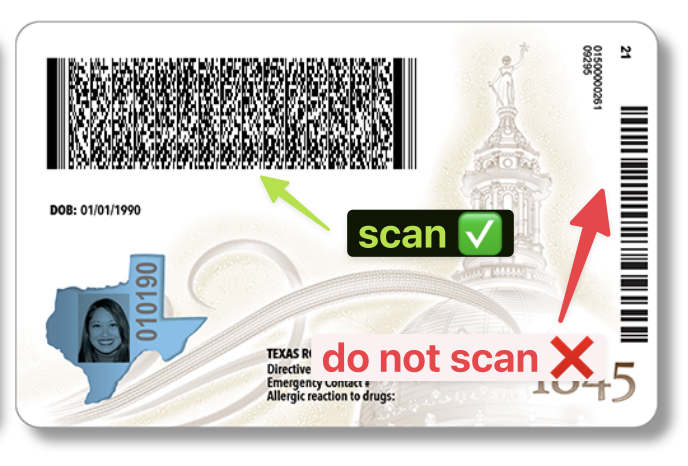
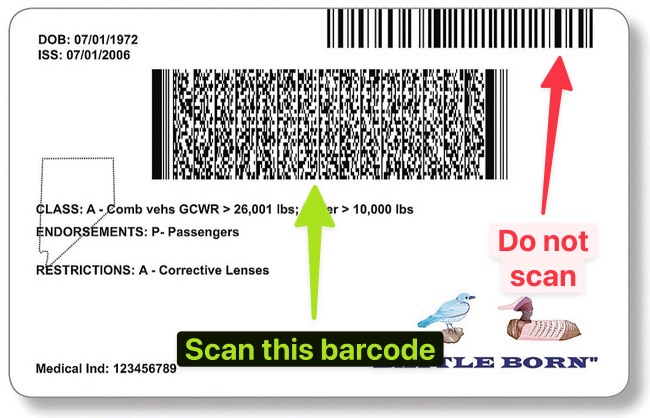
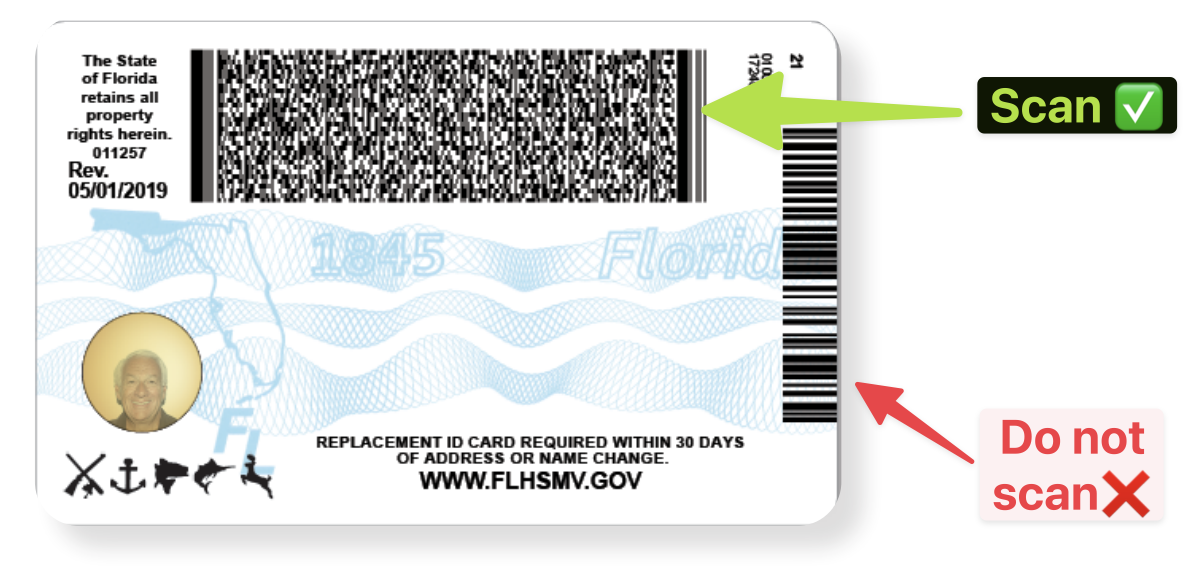
Always scan the larger barcode on the license. See the examples below:
- Texas
- Nevada
- Florida
Instructions for Staff
- When scanning a customer's driver's license, locate the larger barcode
- Position the scanner to capture only the large barcode
- If the scan fails or returns incomplete data, check if the smaller barcode was accidentally scanned
- Close the scanning window and try again, focusing on the larger barcode
Coming Soon
Shopify has recently released a new camera-based scanning system that we are working on integrating. This will allow Real ID to automatically focus on the correct barcode, eliminating this issue.