Excluding orders from triggers
You can exclude orders from triggers in the Exceptions area of the settings. Exceptions filter out orders before your automatic triggers are applied, giving you more control over which orders require ID verification.
If the exceptions below don't quite fit your needs, you can build a Shopify Flow workflow with our create an ID check action for a more customized trigger. For other platforms, use the REST API to build custom logic.
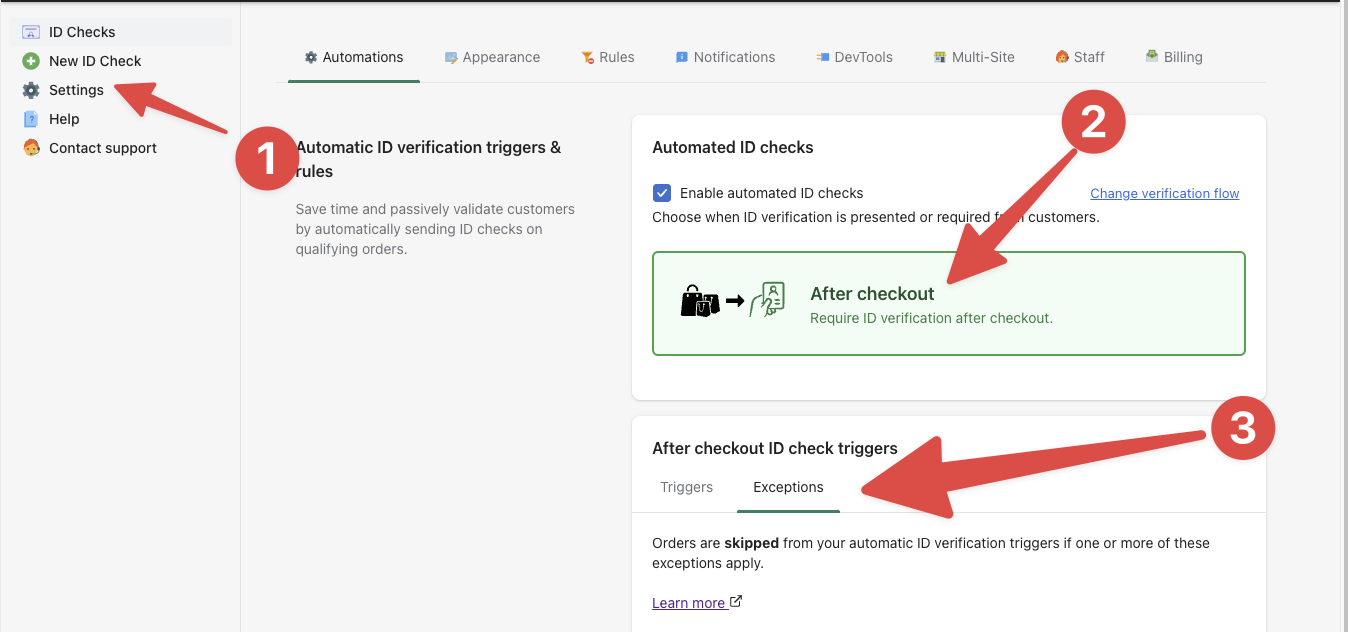
Excluding already verified customers
Real ID will exclude orders from ID verification if the customer has already been verified once before.
Learn more about how verified customers are remembered.
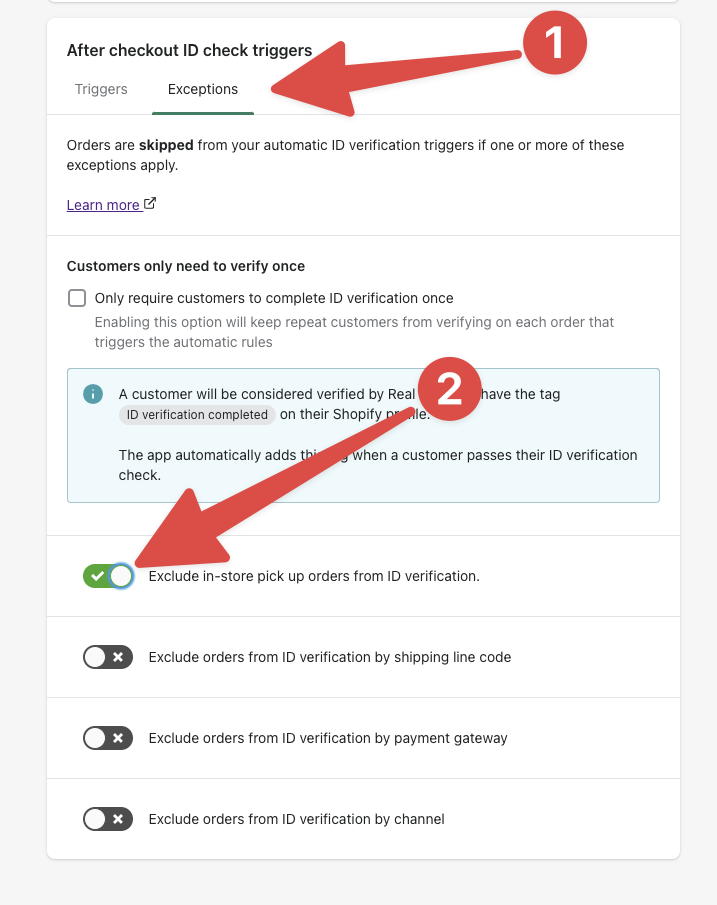
Excluding in-store pick up orders
Real ID can exclude orders for in-store pickup from ID verification. Enabling this rule will exclude all pickup orders from triggering an ID check. This might be helpful if you have a process for ID checking in person.
Excluding orders by shipping line
Real ID can also exclude orders from automatic verification by the shipping line code. For multiple shipping lines, separate them by commas. For example, to exclude both Standard and Express shipping codes, enter Standard,Express.
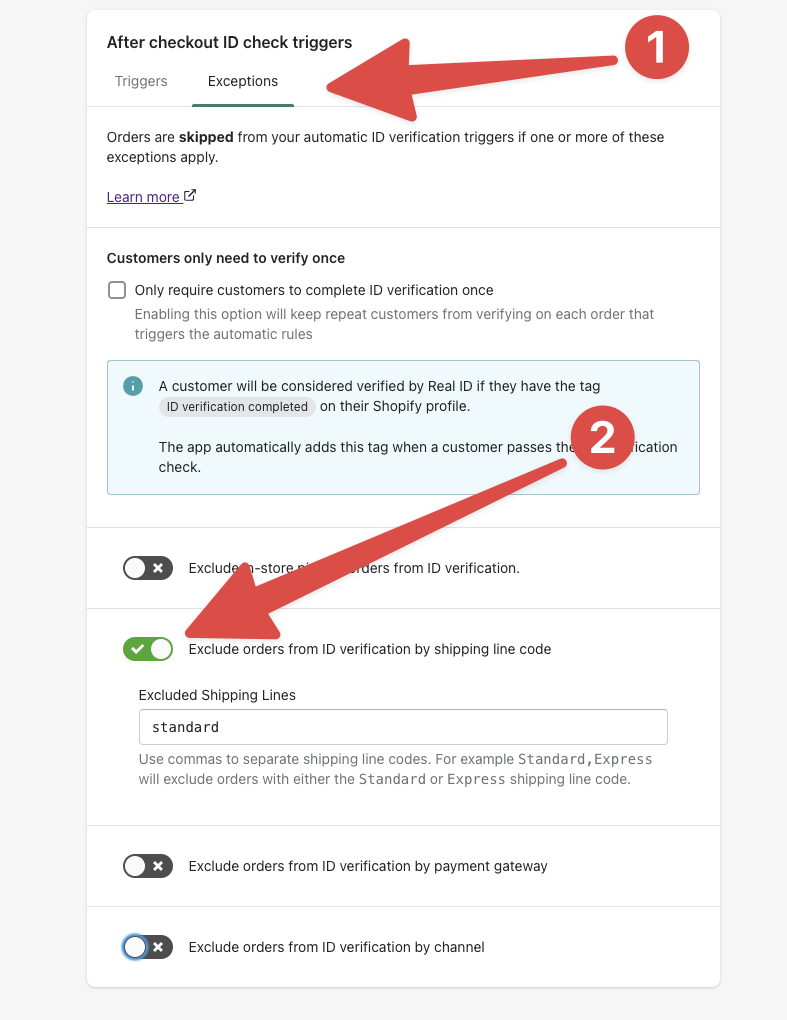
If you need help finding the shipping line code for a given order, please contact us with an example order number and we'll be able to help you find the shipping code.
Exclude orders by payment gateway
You may want to exclude orders paid through specific gateways because the gateways provide merchant protection.
To exclude multiple payment gateways, separate them by commas. For example, to exclude both PayPal and Cash on Delivery payments, enter PayPal,Cash On Delivery.
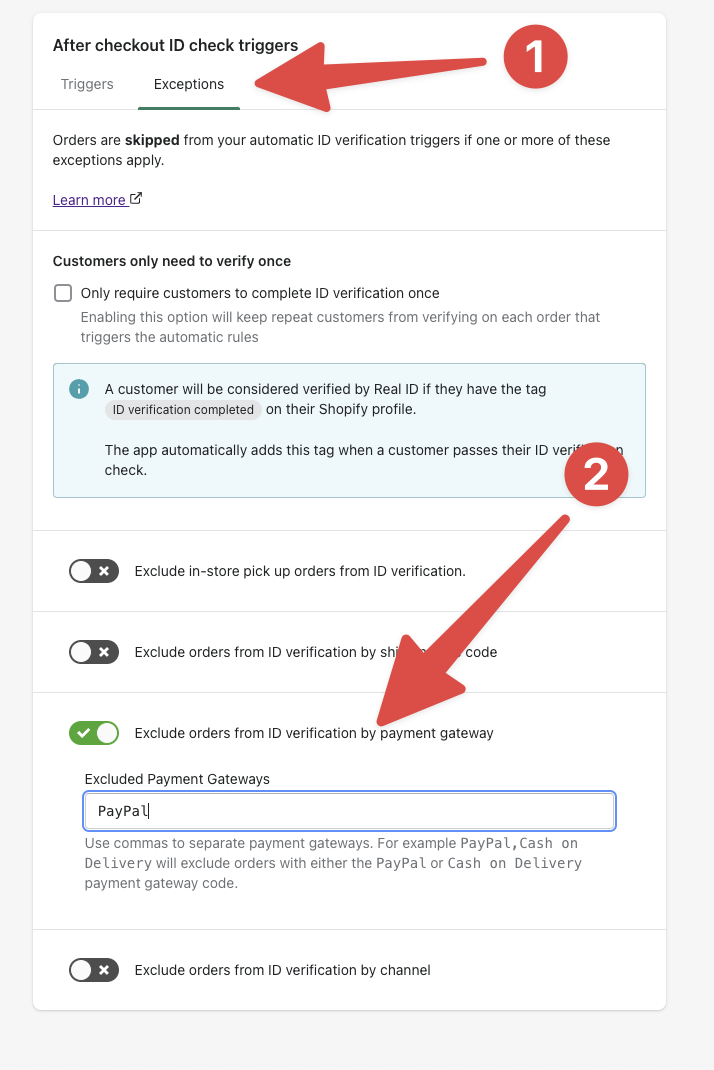
If you need help finding the payment gateway name for a given order, please contact us with an example order number and we'll be able to help you find the payment gateway name.
Exclude orders by channel
You may want to exclude orders placed through certain sales channels like Amazon, Walmart, or a specific Shopify app that sources orders from marketplaces.
To exclude multiple channels, separate them by commas. For example, to exclude both Walmart and Amazon, enter in Walmart,Amazon.

If you need help finding the sale channel name for a given order, please contact us with an example order number and we'll be able to help you find the channel name.