U.S. shipping states
You can set Real ID to only require ID verification on orders that ship to the United States, or only a subset of specific U.S. states.
- Shopify
- WooCommerce
- BigCommerce
- Custom
Within the Automations area of the Settings page, find the U.S. shipping state toggle:
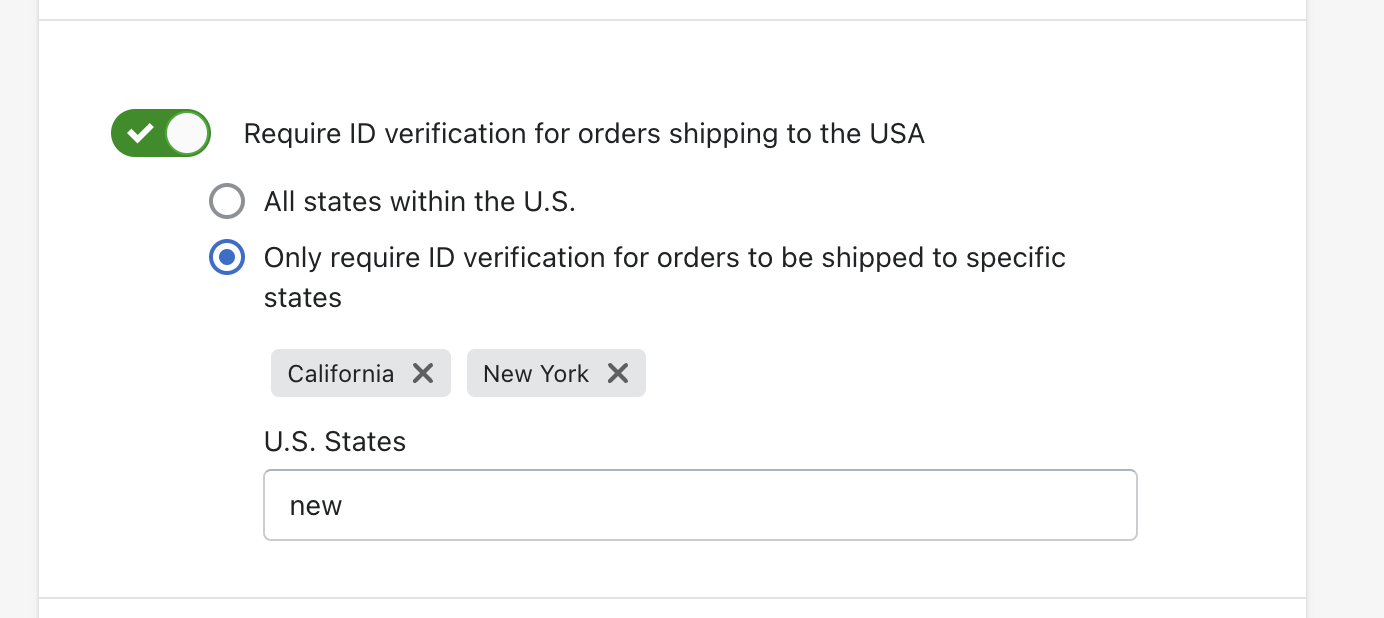
Enable the toggle to require ID verification for orders shipping to the United States. You can choose to verify:
- All states within the U.S. - Any order shipping to a US address will require verification
- Only specific states - Select individual states (e.g., CA, NY, TX) that require verification
Within the Automations area of the Settings page, find the U.S. shipping state toggle:
Enable the toggle to require ID verification for orders shipping to the United States. You can choose to verify:
- All states within the U.S. - Any order shipping to a US address will require verification
- Only specific states - Select individual states that require verification
When "Only specific states" is selected, you can search and select the states that should trigger ID verification. Selected states appear as badges above the search box.
Within the After Checkout Triggers section of the Settings page, find the U.S. shipping state toggle:
Enable the toggle to require ID verification for orders shipping to the United States. You can choose to verify:
- All states within the U.S. - Any order shipping to a US address will require verification
- Only specific states - Select individual states that require verification
When "Only specific states" is selected, you can search and select the states that should trigger ID verification. Selected states appear as badges above the search box.
For more complex trigger logic (e.g., combining state with product categories), see the BigCommerce custom script examples.
This trigger is based on the shipping address of the order.