Downloading customer photos
You can download individual photos from any completed ID check directly from the Real ID dashboard.
Available photos
All photos submitted during the ID verification process are available for download, including:
- ID photo - The front of the customer's government-issued ID (driver's license, passport, etc.)
- Back of ID - The back of the ID document, if required by your verification rules
- Headshot/selfie - The customer's face photo used for face matching
- Proof of address - Utility bills or other documents submitted for address verification
- Additional documentation - Any other required documents such as firearms licenses or permits
- Signatures - Electronic signatures captured during the eSignature step
How to download photos
To download a photo from an ID check:
- Open the ID check from your dashboard
- Scroll to the photo you want to download
- Click the Download button below the photo
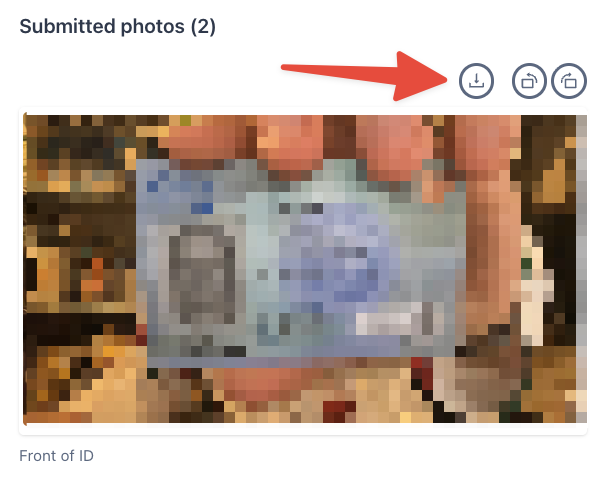
The photo will download directly to your device.
Downloading photos via the API
You can also retrieve photos programmatically using the REST API. When fetching an ID check, include the withPhotos query parameter:
GET https://real-id.getverdict.com/api/v1/checks/{{checkId}}?withPhotos=true
All photos will be returned as short-lived URLs in the API response under the photos key. These URLs expire after a short period for security purposes.
See the Checks API documentation for full details on authentication and response format.
When you download customer photos, you become responsible for:
- Secure storage - Maintaining appropriate security measures to protect the downloaded PII
- Access control - Limiting who can view the downloaded photos
- Data deletion requests - Fulfilling any GDPR, CCPA, or other legal requests to delete the downloaded copies
- Compliance - Ensuring your handling of the data meets all applicable regulations
Real ID securely stores customer data on your behalf. We recommend only downloading photos when absolutely necessary for your business processes.