Conditions
Conditions are the building blocks of advanced rules. Each condition checks one attribute of the order, cart, or customer.
Some order data — how the order was paid, how it will be delivered, Shopify's fraud analysis — doesn't exist until the order is placed. Conditions that depend on it can only be evaluated in the After checkout flow.
All conditions
| Condition | Matches when… | Before / During checkout | After checkout |
|---|---|---|---|
| All orders | Every order, unconditionally | Yes | Yes |
| Cart total | The cart or order total is at least, or less than, the amount you set | Yes | Yes |
| Shipping to country | The shipping address is in one of the selected countries | Yes | Yes |
| Shipping to state/province | The shipping address is in one of the selected states or provinces (US, CA, AU, GB) | Yes | Yes |
| Cart contains products | The cart or order contains one or more of the selected products | Yes | Yes |
| Products with a specific metafield | A product in the cart or order has the real_id.requires_verification metafield set to true | Yes | Yes |
| Products in collection with a specific metafield | A product belongs to a collection with the real_id.requires_verification metafield set to true | Yes | Yes |
| Customer tag | The customer's tags contain (or don't contain) a value you set | Yes* | Yes |
| Customer metafield | A text metafield on the customer equals (or doesn't equal) a value you set | Yes* | Yes |
| Billing/shipping address mismatch | The billing address doesn't match the shipping address | — | Yes |
| Credit card payment | The order was paid with a credit card | — | Yes |
| Local delivery | The order uses a local delivery shipping method | — | Yes |
| Order source | The order came from a specific sales channel (e.g., Online Store, Shopify Collective, draft orders). Choosing sources | — | Yes |
| Order risk level | Shopify's fraud analysis flagged the order at a risk level you select | — | Yes |
Flow compatibility
When you're building rules in the After checkout settings, every condition is available. If a rule can only match after checkout — meaning it can never be satisfied without post-checkout data — it's marked with a badge in your rules list:
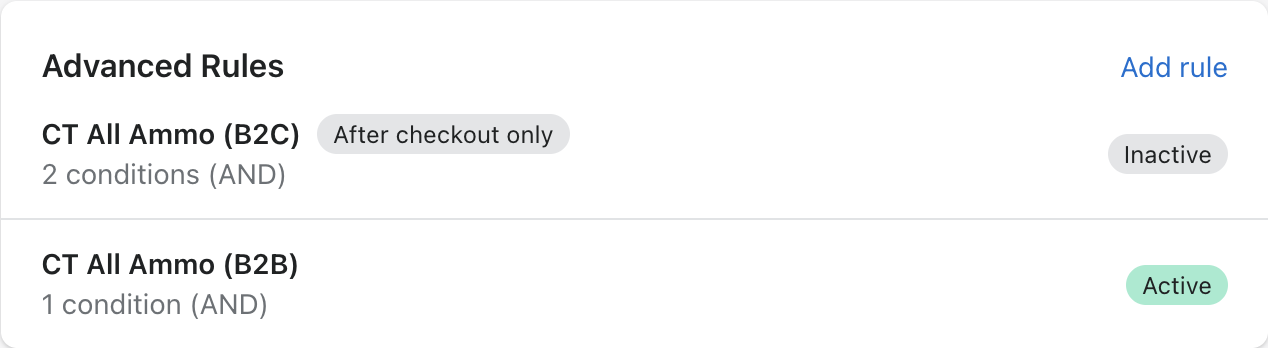
A rule is "after checkout only" when its post-checkout conditions are required for a match. For example:
- Credit card payment AND shipping to Connecticut — after checkout only: the payment method is never known earlier, so the AND can't be satisfied
- Credit card payment OR shipping to Connecticut — works everywhere: before checkout, the shipping state alone can satisfy the OR
Switching to an earlier flow
If you switch your verification flow to Before checkout or During checkout while you have "after checkout only" rules enabled, Real ID disables those rules when you save and shows you which ones were affected. This prevents a silent gap where a rule appears active but can never match.

To use those rules again, switch back to the After checkout flow and re-enable them in the rules list.
Product metafield conditions
The two metafield conditions let you manage which products require verification from the Shopify admin, without touching Real ID settings:
- In Shopify, create a metafield definition on Products (or Collections) with the namespace and key
real_id.requires_verification, type True or false - Set it to true on the products or collections that require ID verification
- Add the Products with a specific metafield (or Products in collection with a specific metafield) condition to a rule
From then on, tagging a product for verification is a product-catalog operation — useful when your merchandising team manages restricted items, or when another app sets the metafield for you.
Metafield conditions require the read products permission. If Real ID doesn't have it yet, you'll be prompted to grant it in the settings page.
Order source conditions
The Order source condition matches orders from the sales channels you select. When you add it to a rule, Real ID lists the channels your recent orders came from, the same list used by the channel exception. Check the channels the rule should match, or add a source name that isn't listed yet.
Order source is only known after checkout, so rules that rely on it only run in the After checkout flow.
Point of Sale isn't offered: POS orders are always excluded from automatic verification, so a rule matching them would never run.