CA AB 1263 Compliance with Shopify Flow (free template)
California AB 1263 requires ID verification and attestation acknowledgment for online sales of firearm accessories to California residents. We've made a free Shopify Flow template for you to automatically verify customers and capture the required attestation.
This template triggers ID verification only when both conditions are met:
- The order is shipping to California
- The order contains products tagged with "CA AB 1263" or products in a collection named "CA AB 1263"
This ensures customers ordering non-regulated products or shipping to other states aren't required to verify. Additionally, customers who have already been verified are automatically recognized and won't be prompted again on future orders.
Selling only regulated products?
If your entire catalog consists of products that require CA AB 1263 compliance, you don't need this Shopify Flow template. Instead, use Real ID's built-in ID Required States setting to automatically require verification for all orders shipping to California. Learn more about state-based triggers.
Getting Started
This guide helps you set up ID verification and attestation capture for orders shipping to California that contain firearm accessories or manufacturing equipment covered by CA AB 1263.
Install Shopify Flow
Start by downloading and installing Shopify Flow. It's available for free on all Shopify plans.
After installation, you'll be able to build powerful workflows to automate compliance tasks in your Shopify store.
Download the Workflow Template
Download this template to save time building it from scratch. The link below will download the workflow file to your device, and we'll show you how to import it into your Shopify store.
Import the Flow
Now you're ready to open Shopify Flow and import the template.
Within Shopify Flow, click Import and upload the workflow file you just downloaded.
After importing, you should see a new workflow called CA AB 1263 Compliance Check added to your Shopify Flow app.
Install Real ID
Next, install Real ID to your Shopify store. Real ID will verify your customer's IDs, confirm they're 18+, and capture the required CA AB 1263 attestation acknowledgment via the Create ID check action in the workflow.
Real ID comes with a risk-free 14-day trial, and you can unsubscribe at any time.
Enable CA AB 1263 Attestation in Real ID
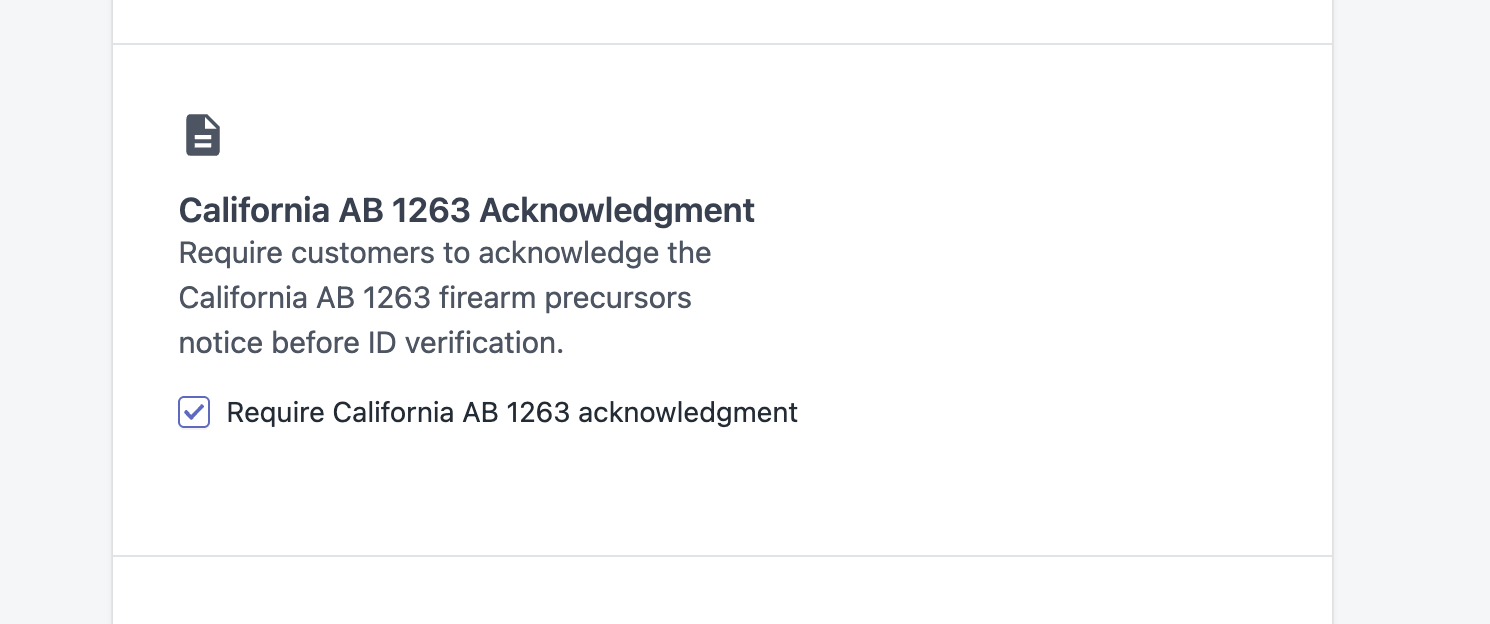
In Real ID, navigate to Settings and enable the CA AB 1263 Attestation option. This adds the required legal notice and acknowledgment step to your verification flow.
When enabled, customers will see the attestation notice about California's firearm manufacturing laws and must acknowledge it before completing verification.
Set Your Minimum Age
Next, set Real ID to require 18+ for all verified IDs. Open the Settings page in Real ID and navigate to the Rules tab, then specify that your minimum age for customers is 18.
Real ID will use the date of birth field on the verified ID to determine if the customer meets the age requirement.
See our detailed guide here for more specific instructions.
California Filtering is Built In
The Shopify Flow template already filters orders by shipping destination—only orders shipping to California will trigger verification. You don't need to configure any additional state-based settings in Real ID when using this workflow.
(Optional) Brand Your Verification Flow
To build trust with your customers and increase verification completion rates:
Here's a sample introduction paragraph you can use in the app to notify customers why their ID is required:
In compliance with California AB 1263 (effective January 1, 2026), we are required to verify your identity and age, and obtain your acknowledgment of California's firearm manufacturing laws before processing your order.
Please have a valid form of identification ready. Acceptable forms of ID include:
- Valid driver's license
- State-issued identification card
- Passport
- Military identification
Your understanding and cooperation in helping us maintain compliance is appreciated. Thank you for shopping with us.
Tag Your Regulated Products
Before activating the flow, make sure your regulated products are tagged appropriately. The workflow looks for:
- Products with the tag "CA AB 1263", OR
- Products in a collection named "CA AB 1263"
Add this tag to all firearm accessories, unattached barrels, and manufacturing equipment that fall under the regulation.
Activate the Flow
To enable the workflow, open it in Shopify Flow and click Turn on. Orders shipping to California that contain tagged products will automatically trigger verification—unless the customer has already been verified.
If you use a different tagging convention, you can modify the conditions in the workflow to match your inventory setup.
What Happens When a Customer Places an Order
When the workflow is active:
- Customer places an order shipping to California with a tagged product
- Shopify Flow checks if the customer has already been verified
- If already verified: Order proceeds without interruption
- If not verified: Order is held and Real ID sends the customer an ID verification request with the CA AB 1263 attestation notice
- Customer verifies their ID and acknowledges the attestation
- Real ID confirms age (18+) and stores the attestation acknowledgment
- Order is released for fulfillment
The entire process is automated, and all verification records are stored securely and linked to the customer and order. Repeat customers enjoy a frictionless checkout experience since their verification status is remembered.
Viewing Verification Results
After a customer completes verification, you can view the results in Real ID. The verification record includes:
- ID verification status (passed/failed)
- Age confirmation
- CA AB 1263 attestation acknowledgment with timestamp
- Customer information extracted from the ID
